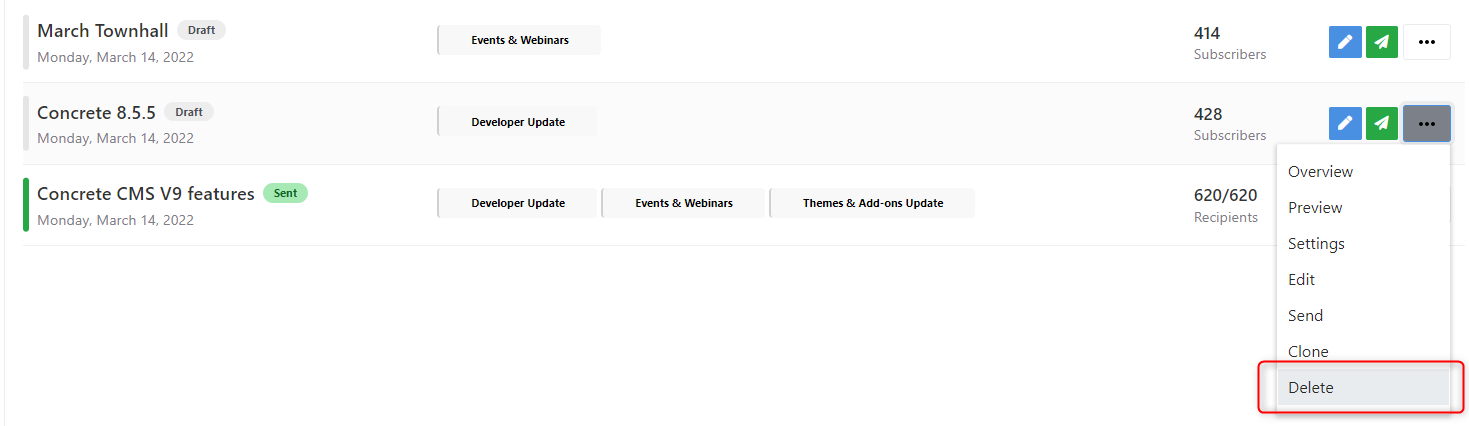
Campaigns List
A campaign is a marketing message that you share through email.
Newsletter package enables you to easily craft and send beautiful and engaging campaigns to keep your subscribers informed about your business or products...
Newsletter package offers many tools to manage your campaigns : from search and filter, to create and edit, to essentials actions like deletion, cloning, previewing and so on.
Newsletter package guides you through the process of managing ,creating and sending your email campaigns.
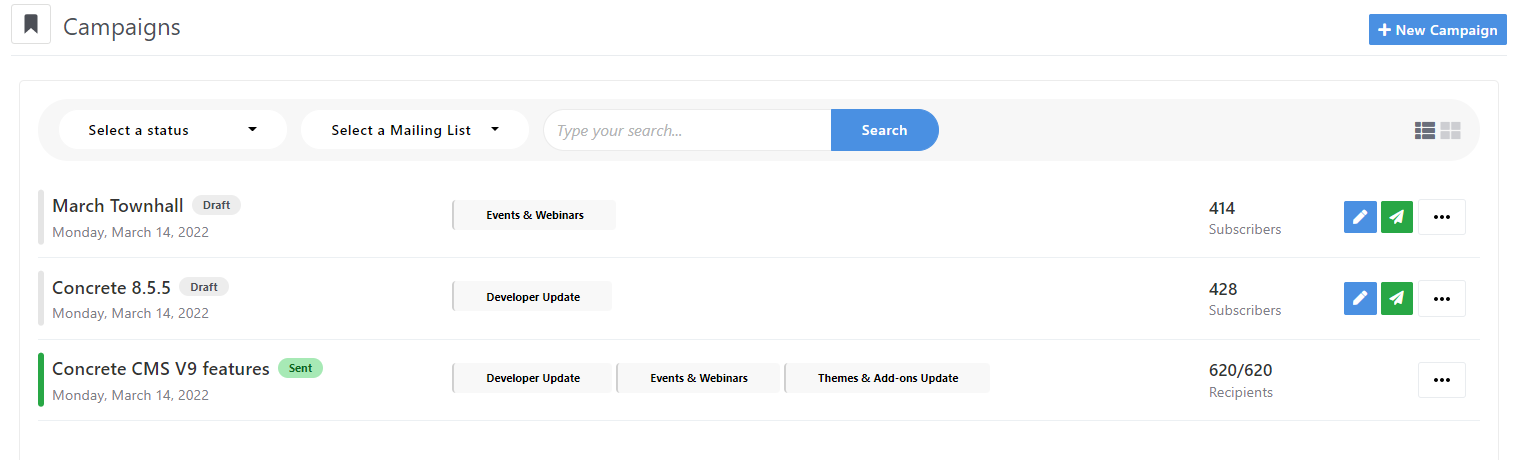
Campaigns are grouped according to status:
-
Draft: Campaigns that have not yet been sent and are scheduled to be sent later.
- Sent: Campaigns that have been sent.
-
In progress: Campaigns that are currently being sent.
-
Stopped: Campaigns that have been stopped and the send process has not completed.
-
Failed: Campaigns that have been failed in sending and the send process has not completed.
To search for campaigns, use the 'Search' bar at the top of campaign list.

Select the status of interest (for example, Draft) to display the associated list of campaigns.
To search for a campaign, enter a search term in the search field
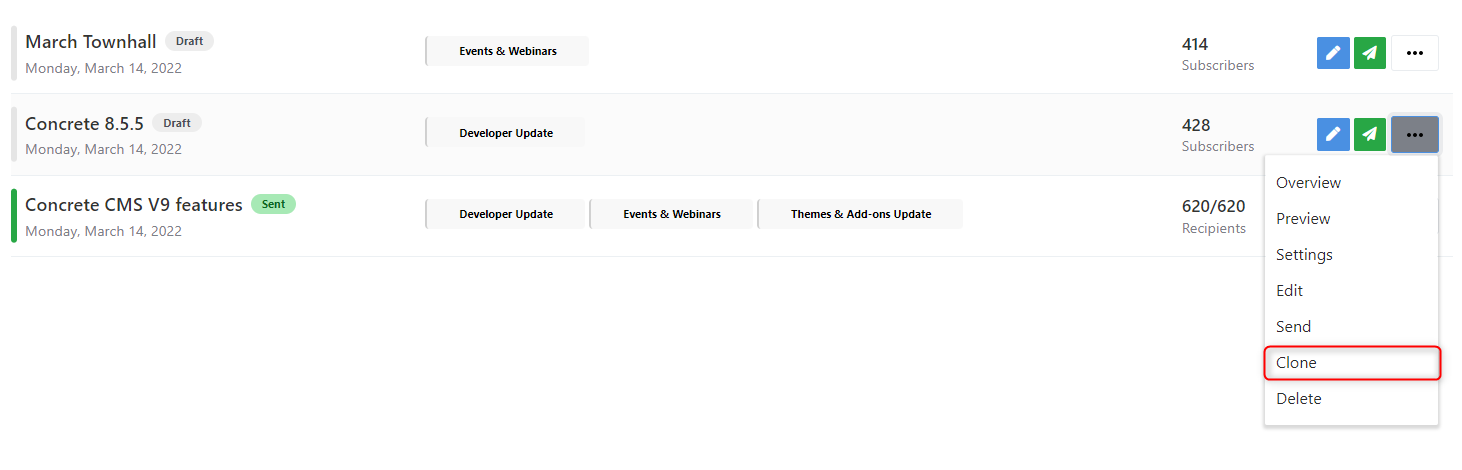
You can use a previous campaign that you sent as a starting point. You can then change the campaign for your needs. When you copy it, we copies almost all the campaign's settings. After you make a copy, you'll want to open it and make sure you configure it for your current needs.
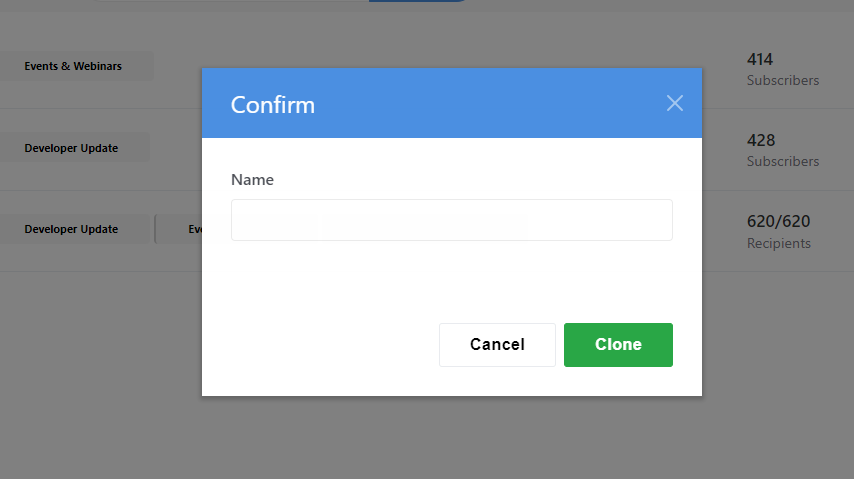
Make sure you rename the campaign
To delete the entire campaign record, click on the campaign toolbar menu and then click on the 'Delete' button.