
New
To create new campaign, click the "New Campaign" button in the top right corner.

Where we need to provide the details about the new campaign such as the Name, description, Mailing list(s), Template, Email Subject, Sender Email, Sender Name, and others informations as seen in the image below.
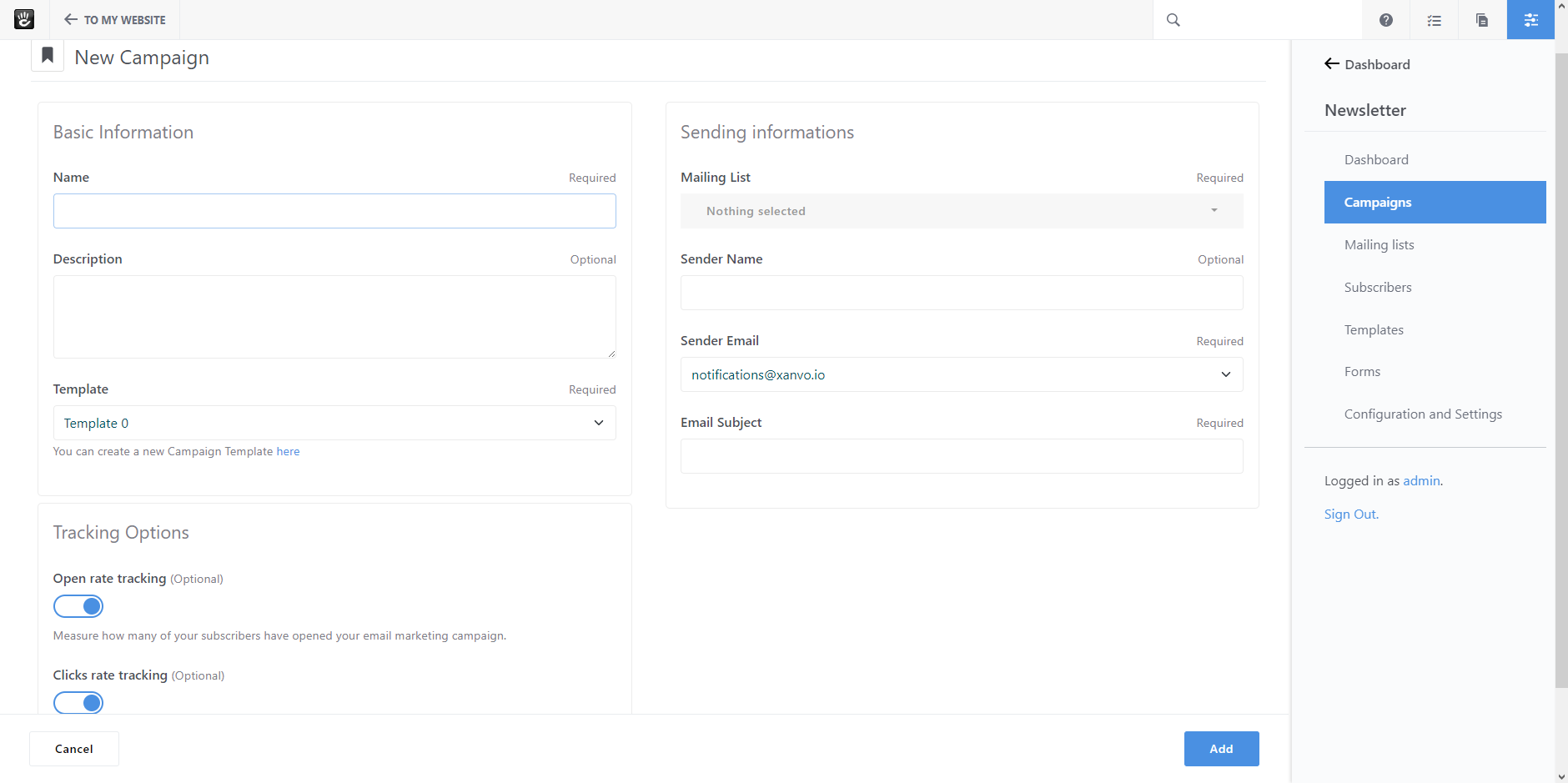
Basic Information:
Name your campaign and add a description if you would like.
Select the campaign template you want to use and fulfill your requirements.
Sending options:
Select target mailing list(s) to send to.
We will clean duplicate recipients that allow to remove email addresses that appear multiple times in your database, or when you combine multiple mailing lists for a single campaign.
Choose the sender email and sender name you would like to send your newsletters from. Your subscribers will be able to see both pieces of information so choose carefully. Often people use their company name and company email address.
A good starting point for any successful email marketing campaign is the subject line, which plays a crucial role in getting people to open and click your emails. Like the headline on your blog post, an email subject line has to get attention so people want to go further.
Tracking options:
When you create a new campaign, we enable certain tracking options by default. This includes open and click tracking.
Click 'Add', this will take you to the Page Editor, where you’ll design your email.